Build and Deploy VMs
🧱 VM Inputs
Computed VM Name:
dev-build-01Build & Deploy VMs Configuration Steps
1.
Go to Proxmox VE
Open Proxmox VE.
https://pve.aspireclan.com2.
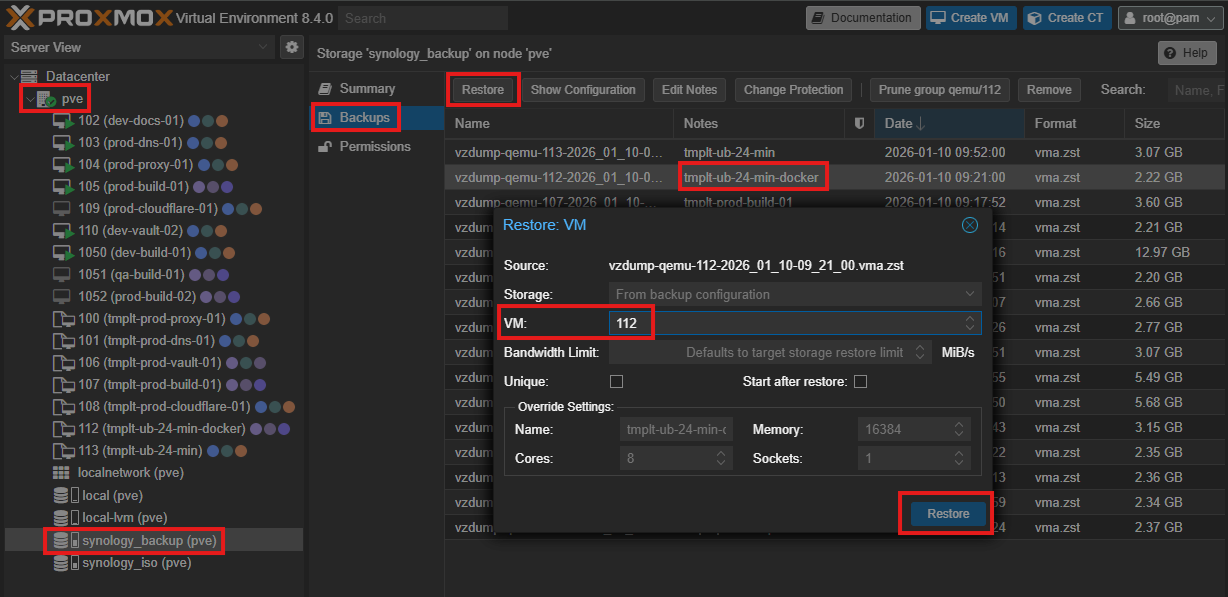
Restore VM Template
In the Proxmox UI, restore the VM from the existing backup template by following these steps:
- Expand the pve node
- Navigate to synology_backup
- Open backup
- Select tmpl-ub-24min-docker
- Click Restore at the top of the screen
- Provide a VM number
- Click the Restore button
3.
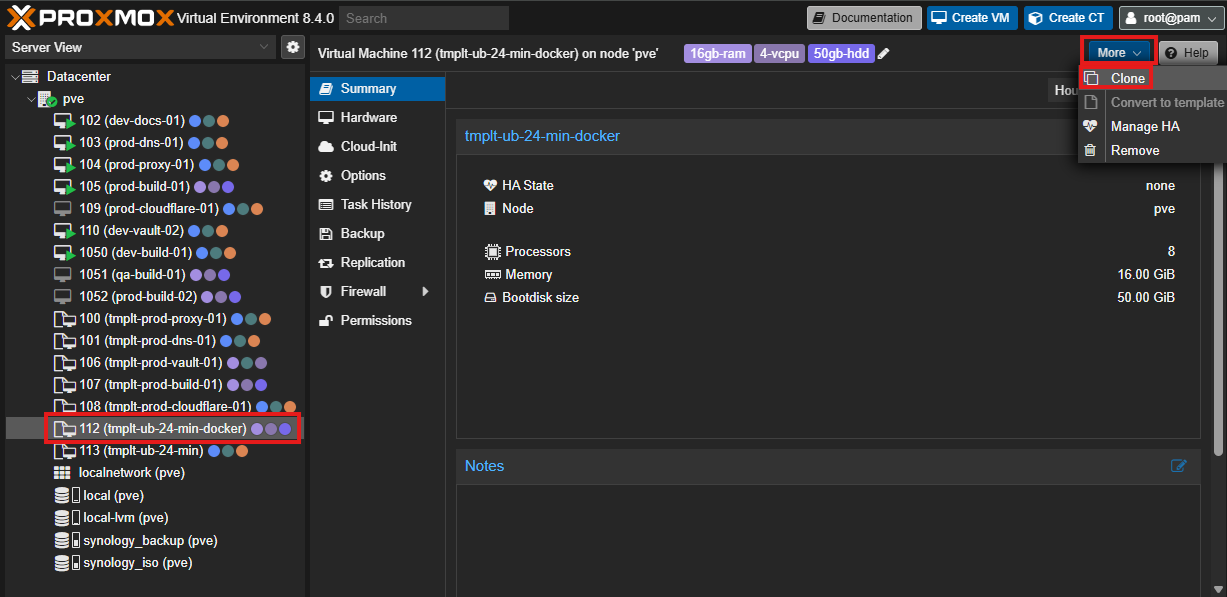
Clone
Create a new VM by cloning the restored template:
- Select the restored template
- Click More
- Select Clone
4.
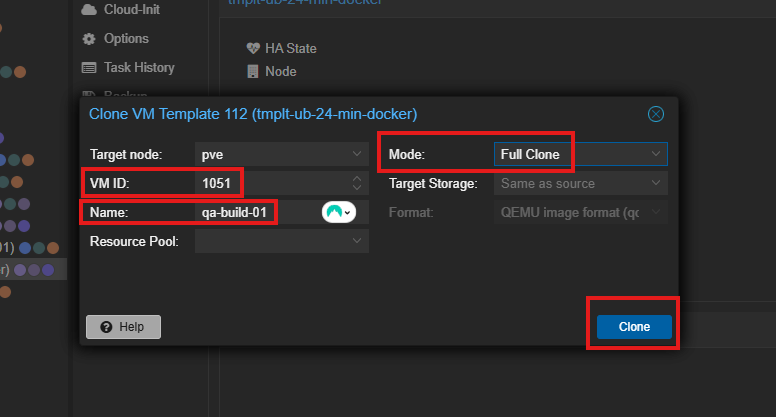
Clone Details
Provide the required details for the cloned VM based on the selected environment:
- VM ID:
1050 - Name:
dev-build-01 - Mode: Full Clone
- Click Clone