Proxmox VE
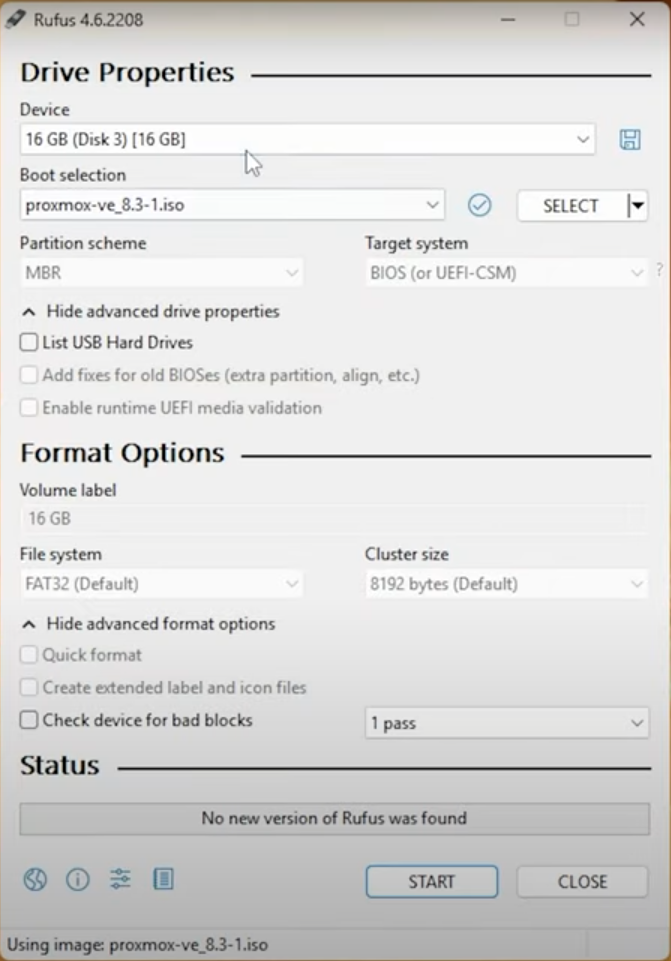
Create Proxmox VE bootable USB Drive
Download Proxmox VE
Download Proxmox VE ISO. Current latest version is 8.3-1https://www.proxmox.com/en/downloadsDownload Rufus
Download Rufus. Bootable USB Drive creator. Current latest version is 4.6https://rufus.ie/downloads/Keep all the options default.
Install Proxmox VE from bootable USB Drive
Boot the R730 server from the usb dirve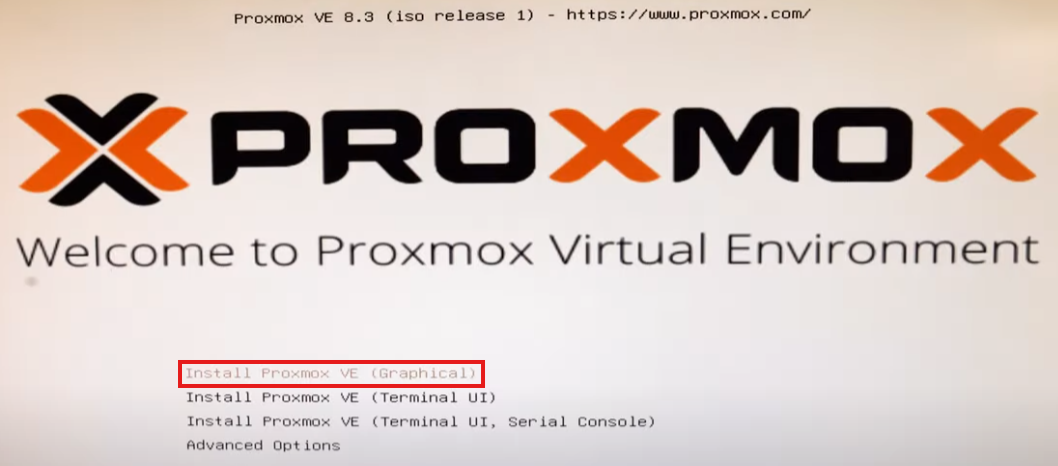
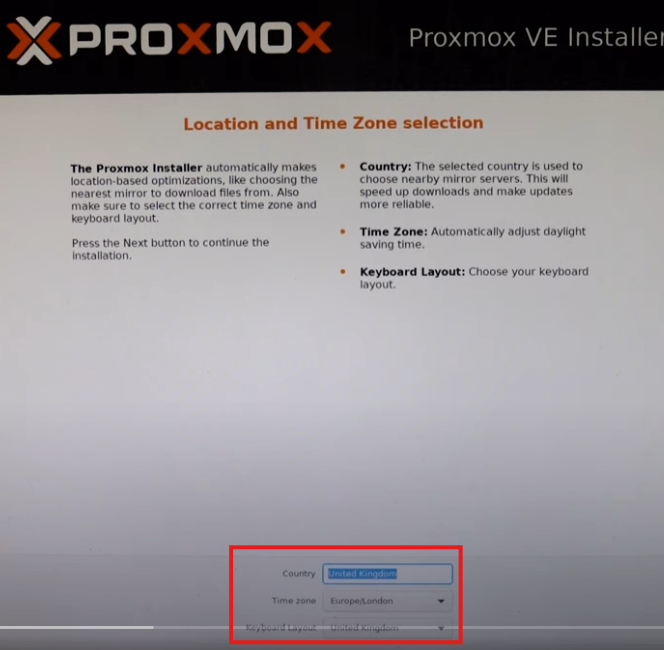
Select Region and Time Zone
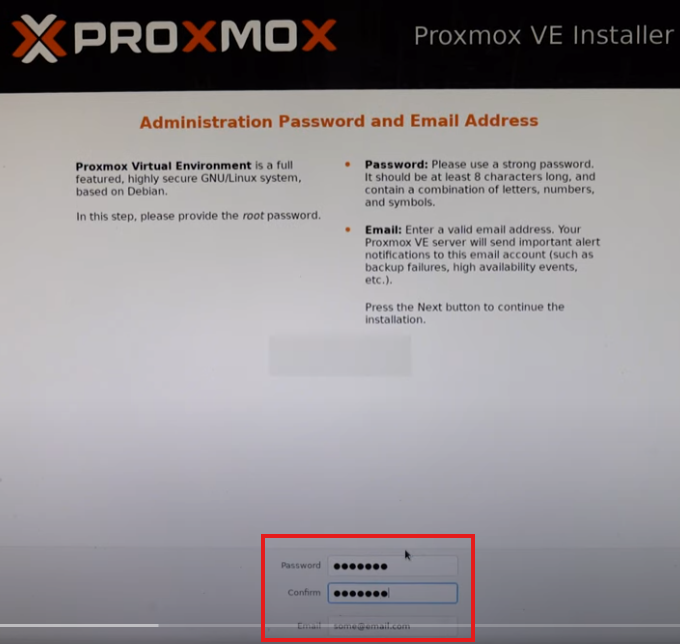
Set root password and email
Set static ip if needed. Usually this is done in UDMSE. Set FQDN --> pve.aspireclan.com
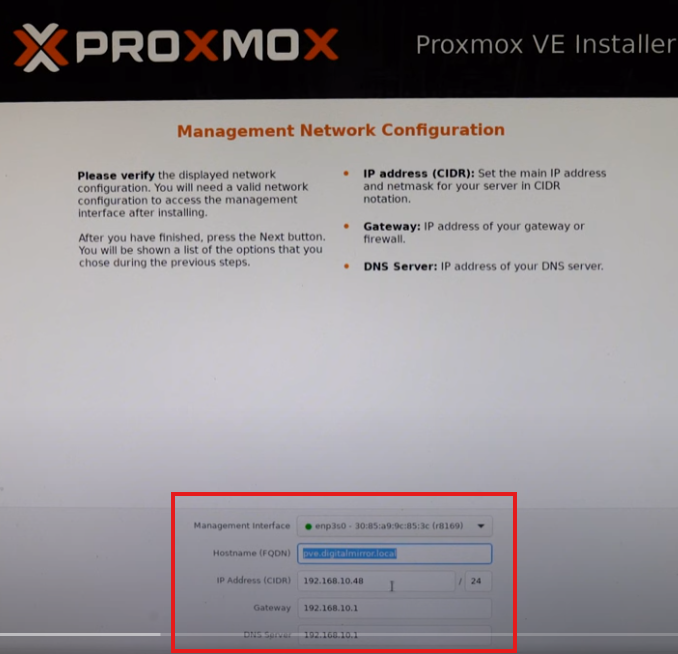
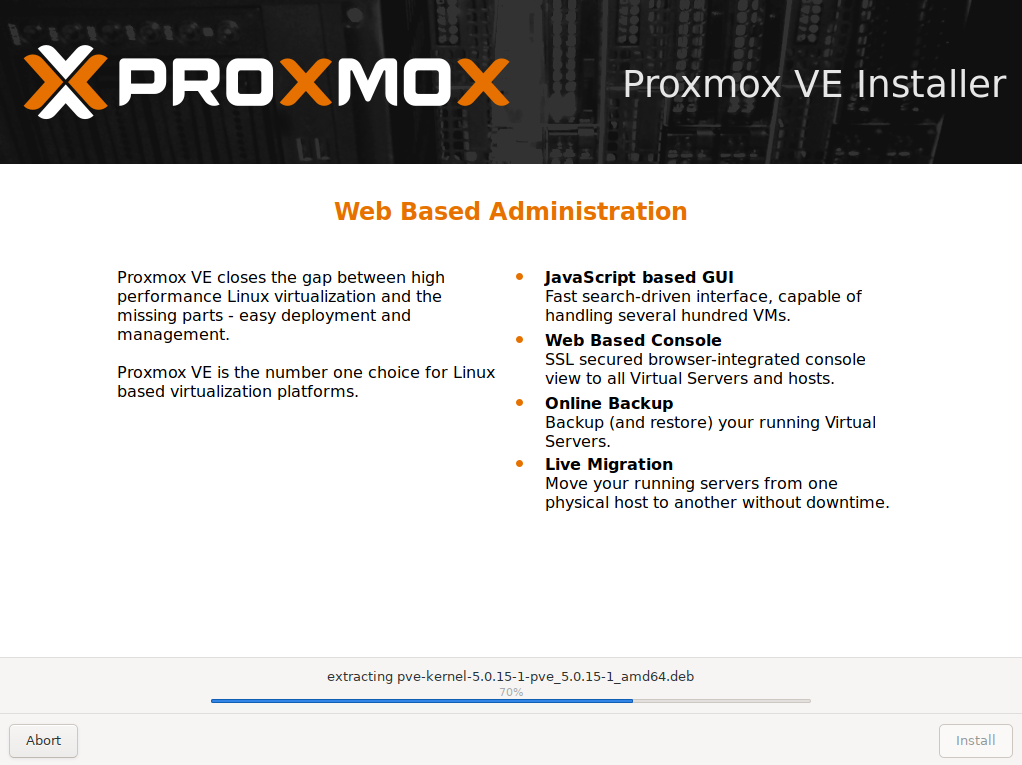
Configure Proxmox VE
After this installation, go to:https://192.168.8.23:8006The below message will be displayed:
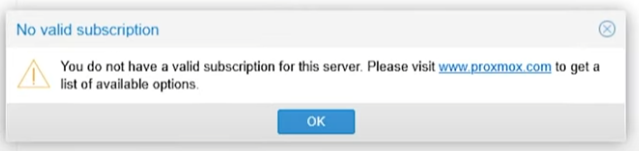
Remove no valid subscription
SSH into proxmox serverNavigate to the following directory
cd /usr/share/javascript/proxmox-widget-toolkitcp proxmoxlib.js proxmoxlib.js.baknano proxmoxlib.jsOnce the file is opened, hit Ctrl+w and search no valid sub
Once it is found go to the Blue Arrow and hit Ctrl+k to delete that line. Repeate this and delete the next 15 lines upto Red Arrow
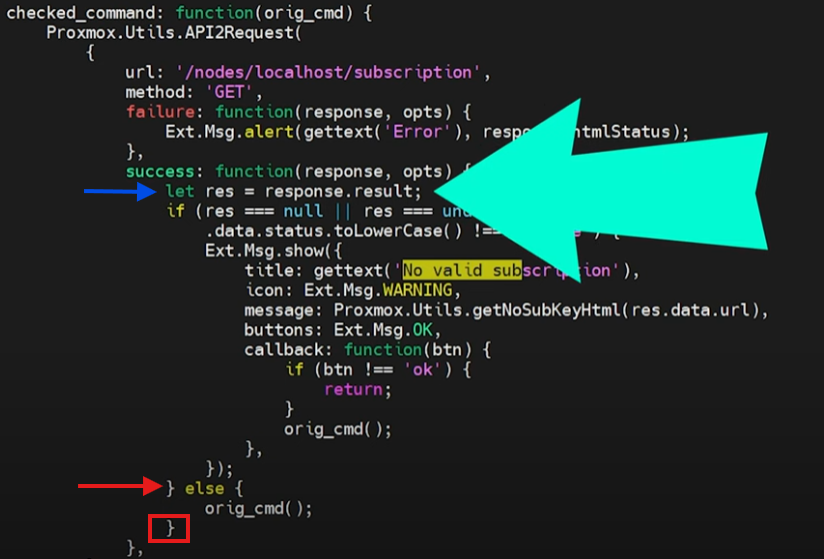
Do not forget to delete the training curly bracket in the red square, above.
Save the file and exit nano
Restart the proxmox proxy service
systemctl restart pveproxy.serviceRoll back option [OPTIONAL]
If any issue happense, use the below command:mv proxmoxlib.js.bak proxmoxlib.js && systemctl restart pveproxy.serviceAdd Repositories and Update System
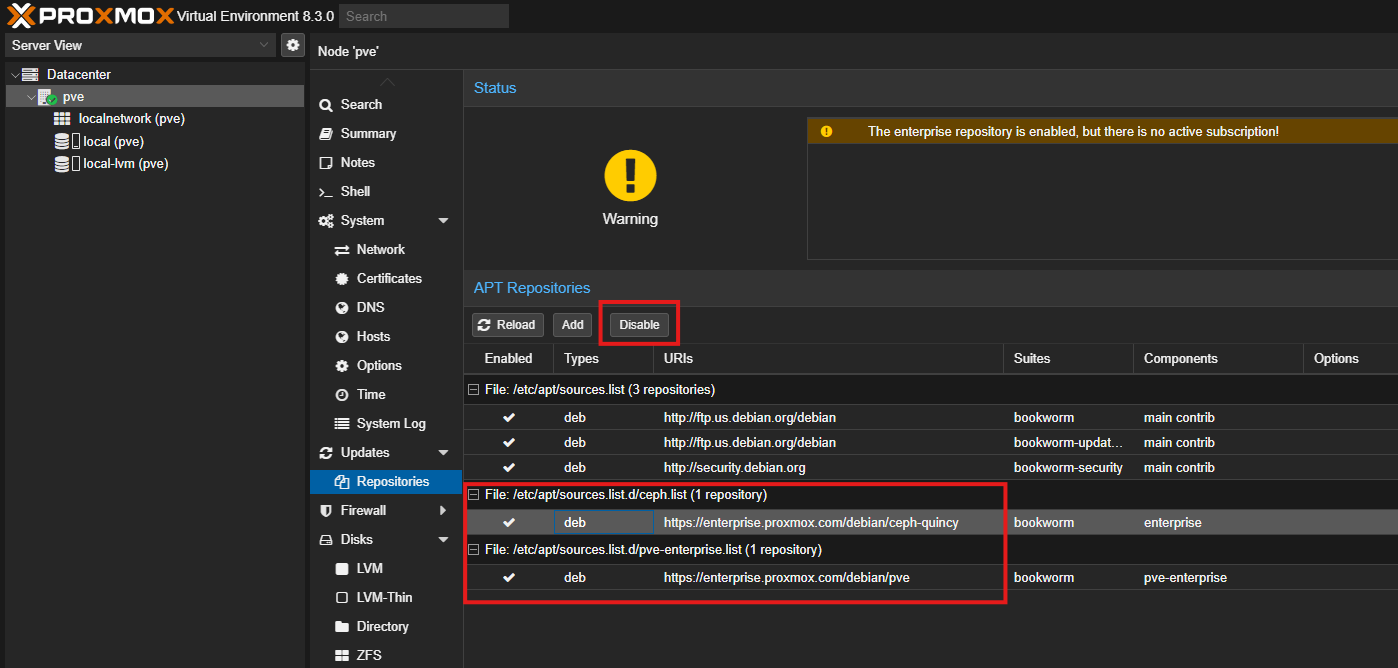
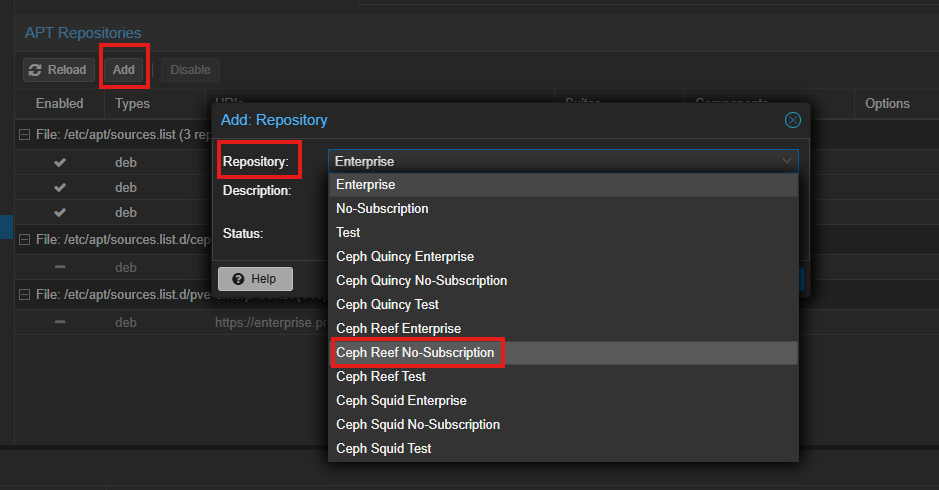
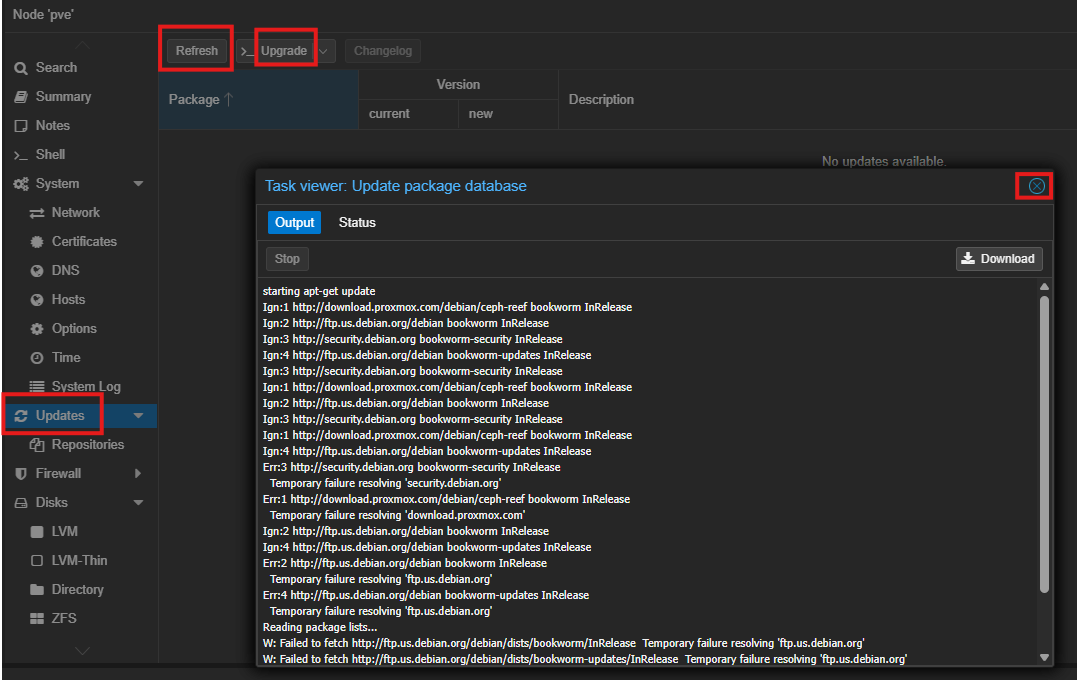
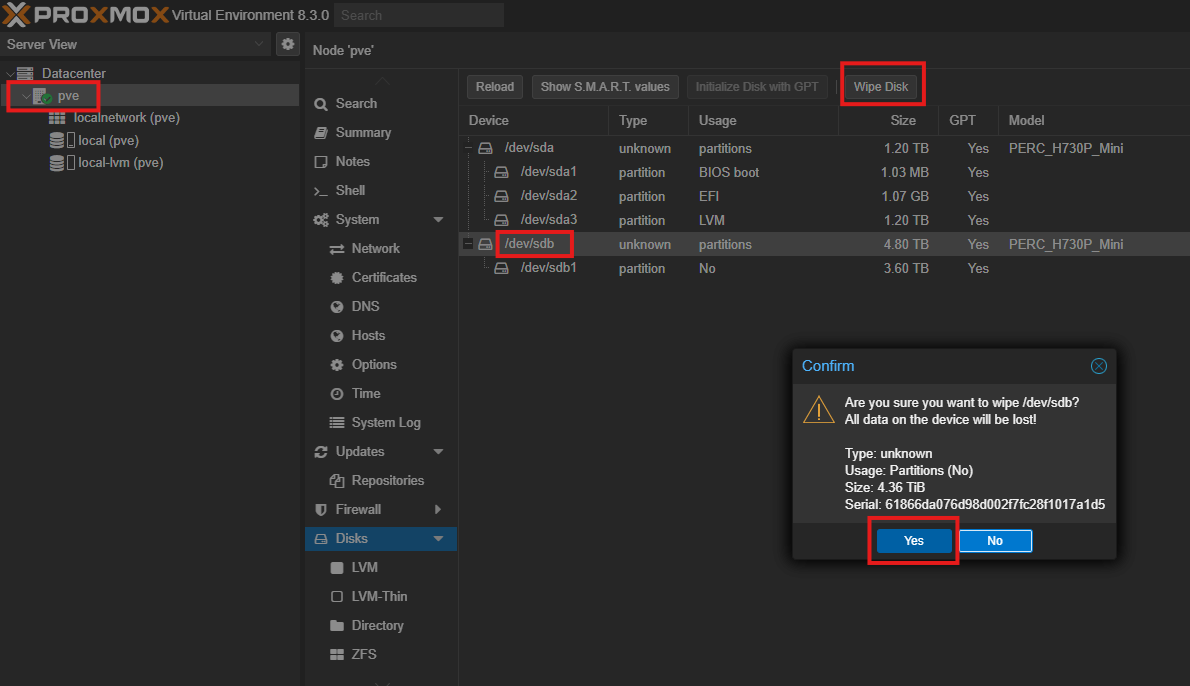
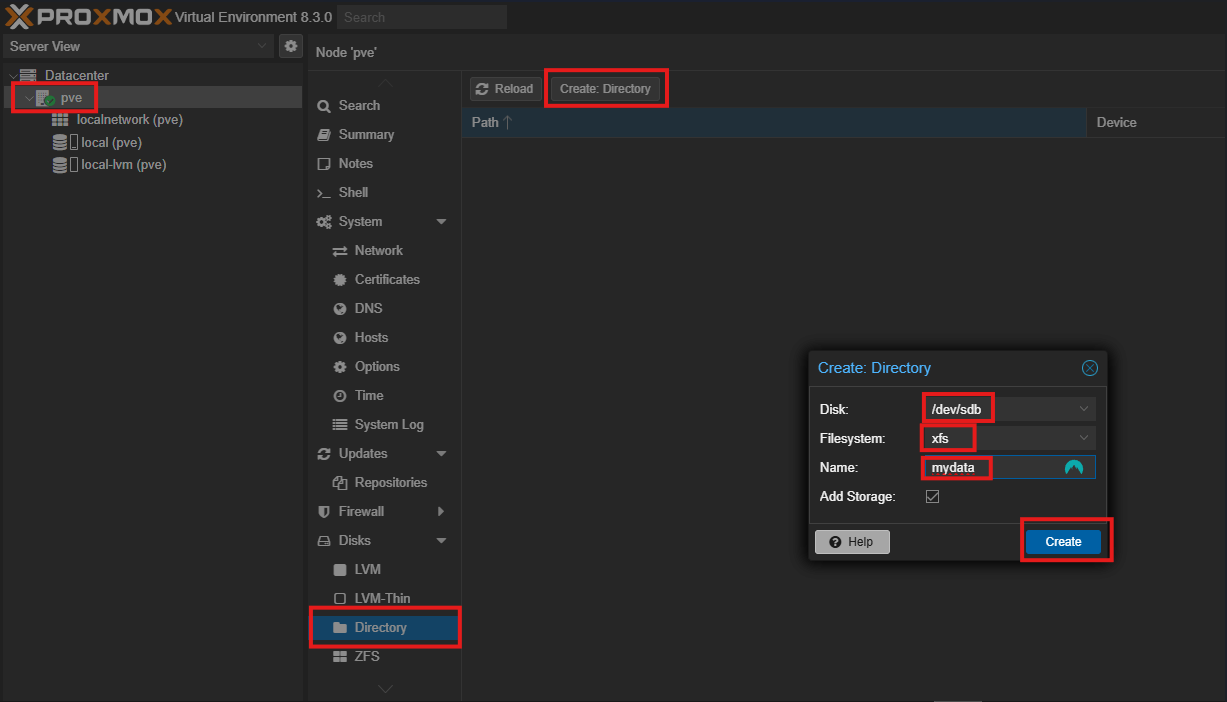
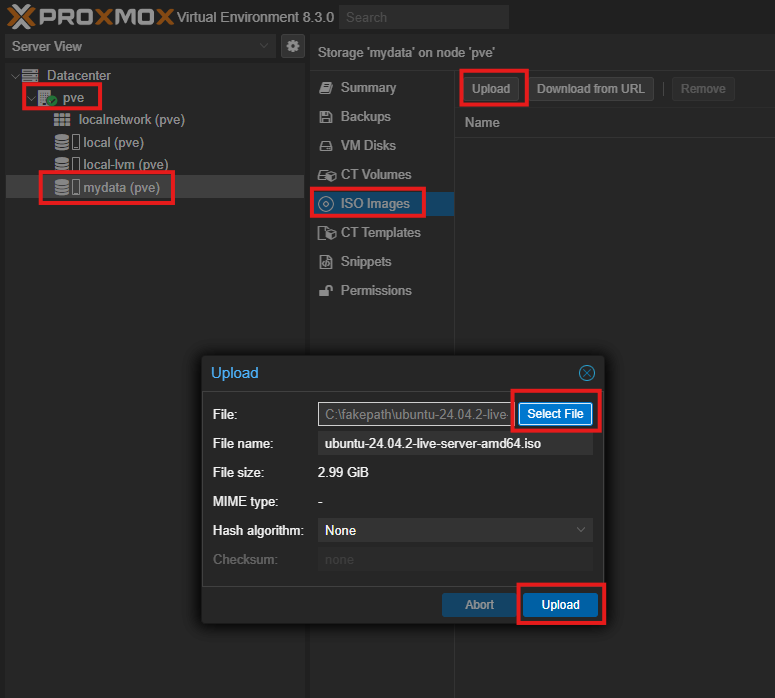
Add Extra Disks and Upload IOS